SPI Communication Protocol: Basics, Modes, and Working
- 10 Jan, 2026
Serial Peripheral Interface (SPI) is one of the most widely used communication protocols in embedded systems. From microcontroller boards to displays, sensors, memory chips, and communication modules, SPI enables fast and reliable data transfer between electronic components. If you have ever worked with an Arduino, OLED display, or sensor module, chances are high that SPI was working behind the scenes.
In this in-depth guide, we will explore the SPI communication protocol from the ground up—covering its fundamentals, signal lines, operating modes, timing, advantages, limitations, and real-world examples. By the end of this article, you will clearly understand how SPI works and how it is practically used with popular development boards like the Uno R3 DIP Microcontroller Board Arduino and display modules such as the 16x2 1602 Character OLED Display.
What is SPI Communication Protocol?
SPI (Serial Peripheral Interface) is a synchronous serial communication protocol developed by Motorola. It is designed for short-distance communication, primarily in embedded systems. SPI allows a master device (usually a microcontroller) to communicate with one or more slave devices (such as displays, sensors, or memory chips).
Unlike asynchronous protocols, SPI uses a dedicated clock line to synchronize data transfer. This makes SPI extremely fast and efficient compared to protocols like UART or I2C. Because of its simplicity and speed, SPI is commonly used in applications where performance is critical.
SPI Signal Lines Explained
The SPI protocol typically uses four main signal lines. Understanding these lines is crucial for working with SPI-based modules and peripherals.
- MOSI (Master Out Slave In): Carries data from the master device to the slave device.
- MISO (Master In Slave Out): Carries data from the slave device back to the master.
- SCK (Serial Clock): Generated by the master to synchronize data transfer.
- SS/CS (Slave Select / Chip Select): Used to select which slave device the master wants to communicate with.
In a typical Arduino setup, the master is the microcontroller board, while peripherals like sensors or displays act as slaves. For example, when interfacing a 16x2 1602 Character OLED Display using SPI, the Arduino controls the clock and chip select signals.
How SPI Communication Works
SPI communication is full-duplex, meaning data can be sent and received simultaneously. When the master wants to communicate, it pulls the slave select (SS) line low for the target slave device. Once selected, the master starts generating clock pulses on the SCK line.
With each clock pulse, one bit of data is shifted out on the MOSI line and simultaneously one bit is shifted in on the MISO line. This continues until the required number of bits (usually 8 bits) are transferred. After communication is complete, the master releases the slave by pulling the SS line high.
This simple mechanism allows SPI to achieve very high data rates, making it ideal for applications like display refresh, memory access, and sensor data acquisition.
SPI Modes (Clock Polarity and Phase)
SPI defines four different operating modes, determined by two parameters: Clock Polarity (CPOL) and Clock Phase (CPHA). These modes control how data is sampled and shifted relative to the clock signal.
- Mode 0 (CPOL = 0, CPHA = 0): Clock idle low, data sampled on rising edge.
- Mode 1 (CPOL = 0, CPHA = 1): Clock idle low, data sampled on falling edge.
- Mode 2 (CPOL = 1, CPHA = 0): Clock idle high, data sampled on falling edge.
- Mode 3 (CPOL = 1, CPHA = 1): Clock idle high, data sampled on rising edge.
Both the master and slave must operate in the same SPI mode for communication to work correctly. Many SPI-based displays and modules specify the required SPI mode in their datasheets.
SPI Speed and Data Transfer
One of the biggest advantages of SPI is its high speed. Since the clock is controlled by the master, SPI can operate at frequencies ranging from a few kilohertz to several megahertz, depending on the hardware capabilities.
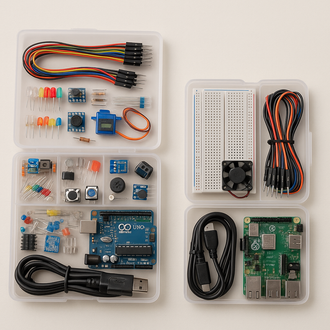
When using boards like the Uno R3 DIP Microcontroller Board Arduino, SPI speed is typically configured using software libraries. Faster speeds are ideal for applications like OLED displays, while slower speeds may be required for certain sensors.
SPI vs I2C: A Quick Comparison
SPI and I2C are often compared because both are commonly used serial communication protocols. While I2C uses only two wires and supports addressing, SPI offers higher speed and simpler hardware design.
SPI requires more pins, but it avoids the complexity of addressing and arbitration. This is why SPI is frequently used for high-speed peripherals like displays, SD cards, and ADCs.
Using SPI with Arduino
Arduino makes SPI communication easy through its built-in SPI library. With just a few lines of code, you can configure the SPI mode, speed, and data order. This makes Arduino an excellent platform for learning and experimenting with SPI.
A common beginner project is interfacing an OLED or LCD module, such as a 16x2 1602 Character OLED Display, with an Arduino board. Through SPI, text and graphics can be updated quickly and efficiently.
Advantages of SPI Communication
- Very high data transfer speed
- Simple protocol with minimal overhead
- Full-duplex communication
- Flexible and widely supported
Limitations of SPI
- Requires more pins compared to I2C
- No built-in error checking
- No standardized addressing mechanism
Real-World Applications of SPI
SPI is used in countless real-world applications, including OLED and LCD displays, SD cards, EEPROM memory, sensors, DACs, and ADCs. Its reliability and speed make it a go-to choice in both hobbyist and industrial designs.
Whether you are building a science project, a DIY electronics kit, or a commercial embedded product, understanding SPI will significantly improve your design and debugging skills.
Conclusion
The SPI communication protocol is a cornerstone of modern embedded systems. Its speed, simplicity, and flexibility make it ideal for high-performance data transfer between microcontrollers and peripherals.
By mastering SPI basics, modes, and working principles, you gain the ability to interface advanced modules such as the 16x2 1602 Character OLED Display with development boards like the Uno R3 DIP Microcontroller Board Arduino. This knowledge opens the door to countless electronics and embedded system projects.